Compare
ASAP Motion vs Descript
ASAP Motion fits product announcements built from designed scenes, screenshots and exact on-screen copy. Descript fits recordings where the spoken words drive the edit, such as interviews, narrated walkthroughs and podcasts. Both offer AI-assisted creation. Choose by what you need to revise most: the visual composition or the recorded conversation.
Updated
At a glance
| Feature | ASAP Motion | Descript |
|---|---|---|
| Starting material | Website, prompt, reference or editable motion template | Audio, video, screen recordings or an AI-assisted draft |
| Core editing workflow | Revise generated scenes, then adjust text, media, layers and timing | Edit a transcript to cut recorded audio and video |
| AI assistance | Generate and revise motion scenes from a brief | Underlord co-editor, generated media and audio cleanup tools |
| Recording workflow | Bring approved assets into a generated or template-based project | Screen recording and remote recording tools |
| Delivery | MP4 in 16:9, 9:16 or 1:1; resolution and frame rate depend on plan | Video and audio workflows; check current export options for your project |
| Useful first task | A visual product reveal with readable type and screens | A narrated tutorial, interview or podcast edit |
ASAP Motion column: based on our documented product capabilities. Descript column: documented from its public pages on November 8, 2026, not tested hands-on. Sources.
Which should you choose?
Choose ASAP Motion if
- Your message should work as on-screen copy without a presenter.
- You need to arrange product screens and type into a short visual story.
- Your expected revisions are copy, composition, media and scene timing.
Choose Descript if
- The spoken recording drives the structure.
- You need to remove filler words or clean up dialogue.
- You record interviews or narrated walkthroughs.
Compare the workflow on your own brief
Decide whether the screen or the speech carries the explanation
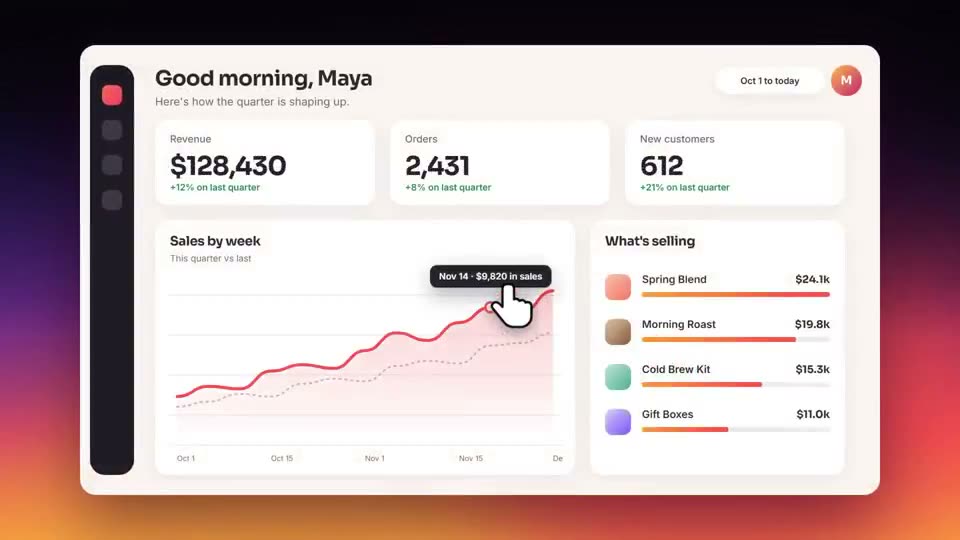
Consider two versions of a dashboard tutorial. One shows a date selector, a chart and a result through short on-screen labels. The other follows a presenter explaining the process aloud. The first needs careful scene composition. The second needs a clean recording and precise cuts to the explanation. Those are different editing jobs, even when the subject is identical.
Use the revision you expect to make every week
For a visual announcement, change the headline and swap an outdated screen. For a narrated tutorial, remove an unnecessary explanation and repair a pause. Evaluate each tool on the task that matches your work. We have not run a timed comparison or tested the same brief in both products, so this page makes no speed or output-quality ranking.
Keep tutorials and launch films connected
A short motion segment can introduce a longer recording. Export that segment from ASAP Motion, then assemble it with the recording in your chosen editor. Preserve both source projects: a flattened video is useful for delivery, but the original project is what lets you update the message cleanly.
ASAP Motion vs Descript: common questions
Is Descript only a transcription tool?
No. Its official feature pages describe recording, text-based editing, an AI co-editor, generated media and audio enhancement. Transcript editing is a useful distinction, not its entire feature set.
Which tool fits a product tutorial?
Use the tutorial format to decide. A presenter-led or narrated recording benefits from speech-focused editing. A short sequence of product screens and animated labels benefits from scene-focused motion design. A longer tutorial can include both.
Does ASAP Motion edit video by deleting transcript words?
That is not the workflow described here. ASAP Motion is presented here for editable visual scenes, text, media and timing. Descript documents transcript-based editing for recordings.
Sources
What this page says about Descript comes from these pages, read on November 8, 2026. Products change: check them for current features and plans. Spotted something out of date?Tell us on Discord and we will correct it.
- Descript feature overview (documented, checked November 8, 2026)
Descript is a trademark of its owner. ASAP Motion publishes this comparison and is not affiliated with Descript. Competitor features are documented from public sources; no hands-on benchmark is claimed.
Trusted by 1,000+ creators



Create your first motion graphic
Start free: describe an animation, edit it in your browser, and export an MP4.