Who actually watches a B2B launch video
A consumer launch video has one viewer. A B2B one has a committee, and each member watches for something different:
| Viewer | What they want to see | What loses them |
|---|---|---|
| Champion (the person who found you) | Something they can forward that makes them look smart | Jargon they would have to explain |
| Economic buyer | The cost of the problem and the outcome | Feature lists |
| Daily users | Their real task, faster | Abstract dashboards with no task |
| IT, security, admins | Control: permissions, approvals, where data lives | Vague “enterprise-grade” claims |
The main cut has to work for the champion and the buyer. Shorter cuts can speak to each of the others.
The structure for a 60 to 90 second cut
| Beat | What to show | Length |
|---|---|---|
| Problem | The costly, repeated task in the buyer’s words | 5 to 10 s |
| Promise | The product name and the outcome in one line | 3 to 5 s |
| Demo 1 | The core job, on real screens | 12 to 20 s |
| Demo 2 | A second job that shows breadth | 10 to 15 s |
| Demo 3 | Control or collaboration: approvals, sharing, admin | 8 to 12 s |
| Proof | A customer quote or a result you can stand behind | 5 to 10 s |
| Next step | One specific action: book a demo, start a trial | 4 to 6 s |
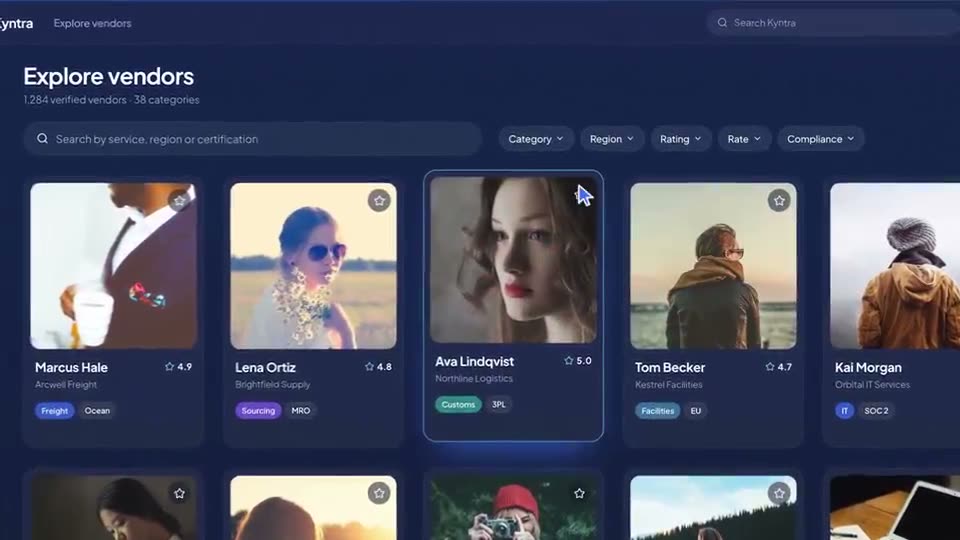
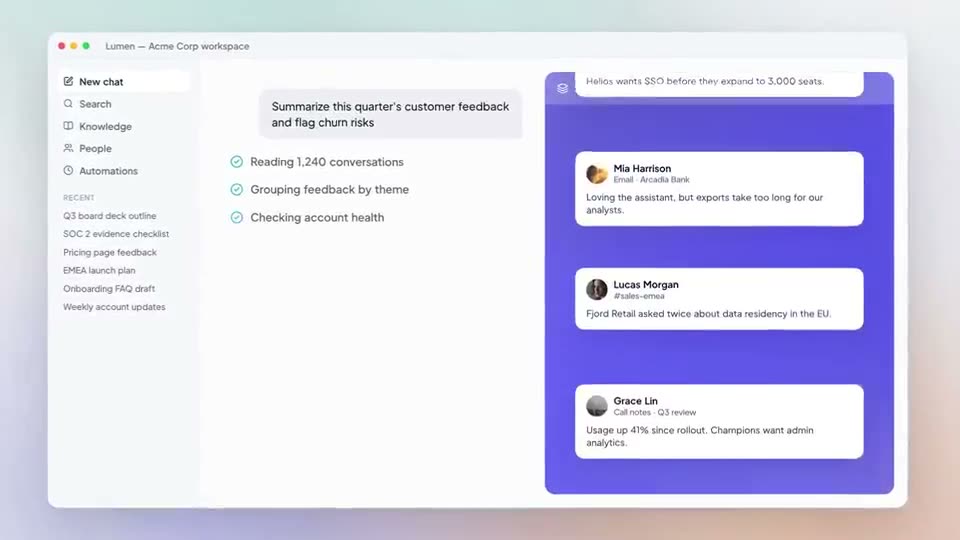
Telling the product as three short demos, separated by a one-line title, keeps a long video easy to follow. Enterprise AI Chat Launch is built exactly this way; Vendor Operations Platform Launch tours more product areas in about a minute and a half.
Make the problem expensive
B2B buyers act on cost. Name the problem in terms they already track:
- time (“three days to onboard each vendor”),
- risk (“approvals that live in email”),
- money (“renewals missed because nobody owned the date”).
Use your customers’ words. If a prospect said it on a call, it belongs in the first five seconds.
Show real screens doing real jobs
Enterprise buyers have seen every polished dashboard mockup. What they have not seen is your product doing their job. For each demo:
- start from where the user starts, not from a finished dashboard,
- show one action and its result,
- label the step in three to six words so it works muted,
- use realistic data that you are happy for anyone to see.
The AI product demo from real screenshots guide walks through capturing and checking screens.
Proof without inventing numbers
Proof is where B2B videos most often overreach. Use only what you can back up:
- a customer quote with their permission and their name or role,
- a customer logo you are allowed to show,
- a result from a named case study,
- a fact about the product itself (“approvals in one place”, “every change logged”).
Never invent a statistic for the video. A procurement team will ask where it came from.
Cut versions for each role
From the same project, make 20 to 30 second cuts:
- For users: just Demo 1, start to finish.
- For admins: Demo 3 plus a line on permissions and control.
- For buyers: problem, promise, proof and next step.
Put the right cut in the right place: the user cut in onboarding emails, the admin cut on your security page, the buyer cut in sales follow-ups.
Where B2B launch videos earn their keep
- the product or platform page, near the top,
- sales emails and follow-ups after a call,
- LinkedIn, uploaded natively rather than as a link,
- event booths and webinar openers,
- your changelog and launch announcement.
Build it in ASAP Motion
- Open a template built for platforms: Vendor Operations Platform Launch, Enterprise AI Chat Launch or Operations Copilot Promo.
- Replace the problem lines with your buyers’ words and drop your real screenshots into each product scene.
- Replace the quotes with real ones, or remove the scene until you have them.
- Change the end card to your one next step.
- Duplicate the project for each role cut and remove the scenes that cut does not need.
Or paste your website into the Launch video card for a 15, 30 or 45 second first draft from your own copy, then extend it. Export MP4s in 16:9 for the site and sales, and 1:1 or 9:16 for social. For more examples of what works, see SaaS launch video examples.