What Product Hunt asks for
Product Hunt’s own launch checklist sets the hard limits. As of October 2026:
| Item | Product Hunt’s requirement |
|---|---|
| Video | A YouTube link, not set to private, pasted as the full URL (short links do not load) |
| Gallery | At least two images; 1270 × 760 recommended; you can reorder them |
| Thumbnail | Square, 240 × 240 recommended, under 3 MB |
| Launch time | 12:01 am Pacific gives you the full 24-hour day; you can schedule up to a month ahead |
The video is optional, but it is the one asset that shows the product moving. Check Product Hunt’s launch preparation page before you launch, in case these change.
How long the video should be
Thirty to sixty seconds. Visitors arrive from a busy homepage and decide quickly whether to keep watching. A 45-second film that shows the product working beats a three-minute tour. If you have more to show, put the longer walkthrough on your own site and link to it from the first comment.
Make a second, shorter cut for the rest of launch day: 15 to 20 seconds in 9:16 for X, LinkedIn and Instagram, pointing back to the Product Hunt page.
The structure that works
Use the same five beats as any launch video script, tuned for an audience of makers and early adopters:
- Hook (0 to 5 s). The outcome in one line. Not your logo.
- Problem (5 to 10 s). The annoying thing your visitor already does by hand.
- Product (10 to 35 s). Real screens, one step per scene, each step labelled.
- Proof (35 to 45 s). One concrete thing: a number, a customer, a before-and-after.
- Call to action (last 5 s). Your product name and a short line such as “Live on Product Hunt today”.
Product Hunt visitors are comfortable with software, so show the actual interface. They have seen every generic “the future of work” opener.
Make it in ASAP Motion
The fastest route is your own website:
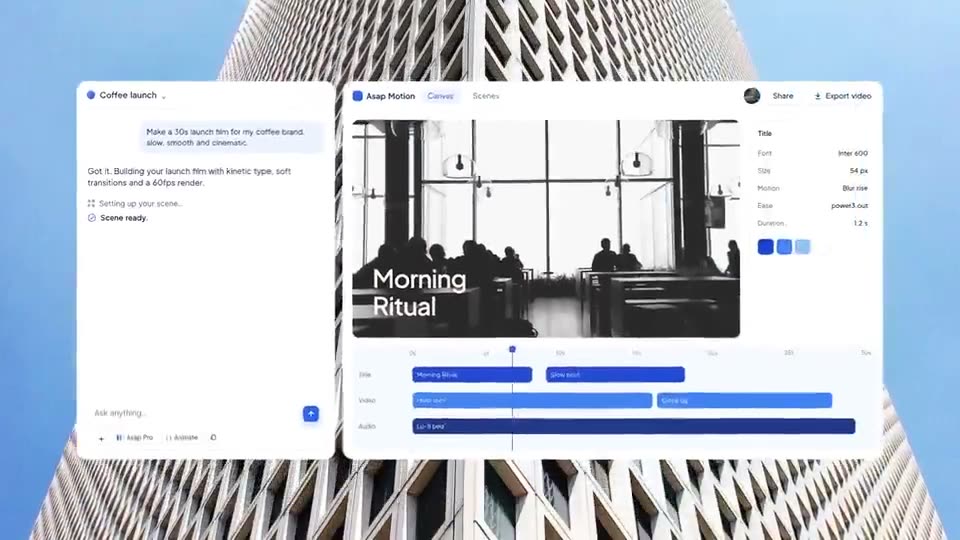
- Paste your product URL into the Launch video card and pick 30 or 45 seconds. ASAP Motion reads the page and proposes a storyboard. The website to launch video guide covers what to check before you confirm.
- When the film opens as an editable project, swap any generated screen for a real screenshot of your product, and read every word on screen.
- Change the last scene to say you are live on Product Hunt.
- Export a 16:9 MP4 at 1080p or higher and upload it to YouTube. Paste the full YouTube URL into your Product Hunt post.
- Duplicate the project as a 9:16 version, cut it to 15 to 20 seconds, and export it for social.
If you would rather start from a finished film, the product launch templates are built for this: open one, replace the copy, screens and colors, and export.
Use the same film for the gallery
Your gallery needs at least two images at about 1270 × 760. Pause the video on its strongest frames, such as the hook and the product shot, and export those as stills, or lay out a screenshot with the same headline. The gallery and the video then tell one story.
Common mistakes
- Private or shortened YouTube links. Product Hunt cannot load them. Test the link in a logged-out window.
- Opening on the logo. Visitors decide in the first seconds. Lead with the outcome.
- Sound-only explanations. Many people watch muted. Put the message in on-screen text.
- Fake interface. If a scene shows UI your product does not have, replace it. Makers notice.
- Launch day edits. Finish the video the week before. You will be busy answering comments.