Two videos, two jobs
Most landing pages need two different videos, and trying to make one do both is the usual mistake:
| Hero loop | Watch video | |
|---|---|---|
| Job | Show the product moving the moment the page loads | Explain the product to someone who chose to watch |
| Sound | Muted, no voiceover needed | Voiceover or music, with captions |
| Playback | Autoplay, loop, no controls | Click to play, with controls |
| Length | 15 to 45 s | 45 to 120 s |
| Size | A few megabytes | Larger is acceptable; it loads on demand |
Make the hero loop first. It is seen by every visitor; the watch video is seen by the ones who were already interested.
What the hero loop should show
The hero loop has no sound and no narrator, so the screens and on-screen labels carry it:
- The product working, from the first frame. No logo intro, no fade from black.
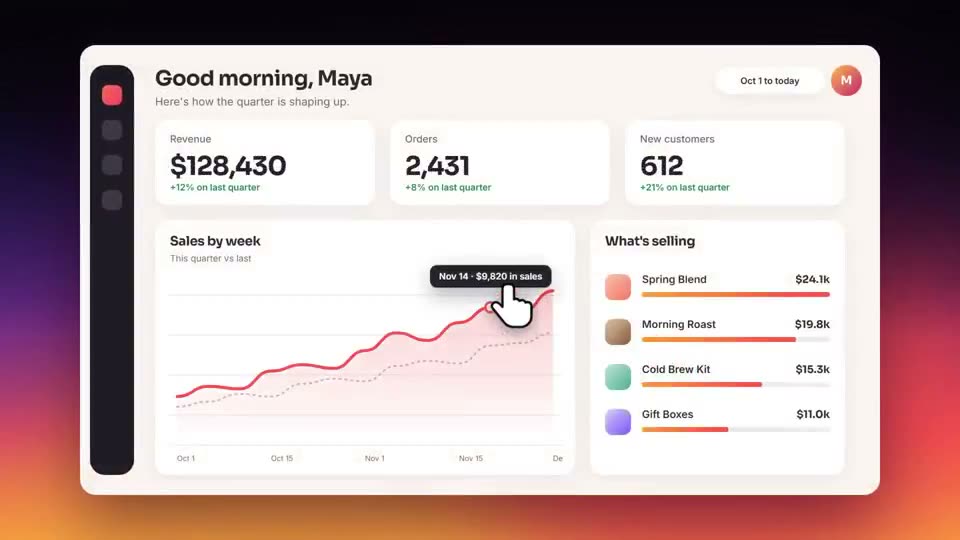
- Real screens. Your actual interface, cropped clean, with realistic data.
- Short labels. Three to six words per scene so the loop reads even at a glance.
- A clean loop point. End on a frame that cuts back to the start without a jump, or on a calm end card.
A product demo template such as Minimal Product Walkthrough or Sales App Product Tour is a good starting point: replace the screens and labels with yours.
Export and compress
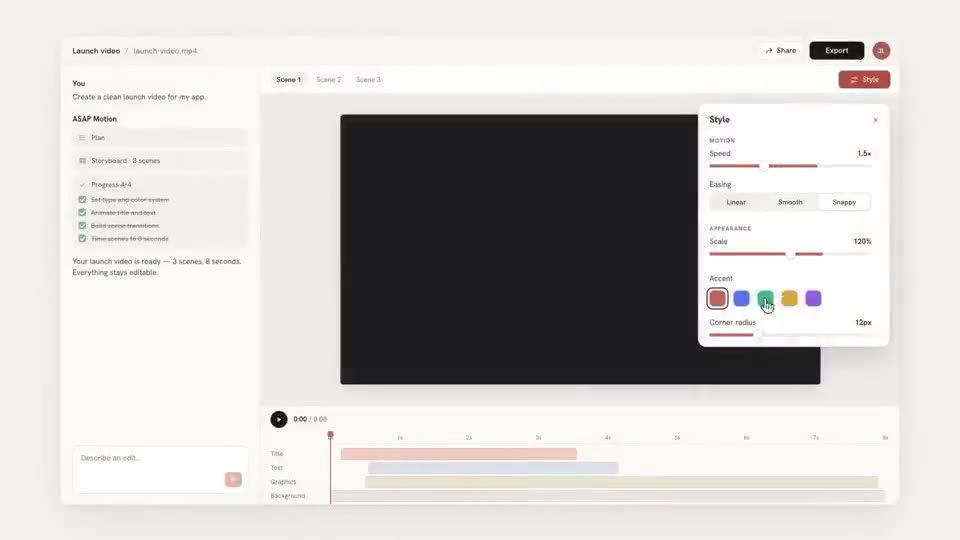
Export an MP4 at 1080p from ASAP Motion. For a hero that displays at about 1200 pixels wide, 1080p is plenty; 4K only adds weight. Then compress it for the web. With the free tool ffmpeg:
ffmpeg -i launch.mp4 -c:v libx264 -crf 26 -preset slow -an -movflags +faststart -vf scale=1280:-2 hero.mp4What each part does:
-c:v libx264encodes H.264, which plays in every current browser.-crf 26sets quality; lower is better and bigger. Try 23 to 28 and compare by eye.-anremoves the audio track a muted loop does not need.-movflags +faststartmoves the index to the front so playback starts before the file finishes downloading.scale=1280:-2resizes to 1280 pixels wide and keeps the aspect ratio.
Aim for a few megabytes for a 20 to 30 second loop. Also export one still frame (the most telling moment) as a JPEG or WebP poster image.
The HTML
<video
  src="/media/hero.mp4"
  poster="/media/hero.jpg"
  width="1280"
  height="720"
  autoplay
  muted
  loop
  playsinline
  preload="metadata"
  aria-label="The product turning a brief into a finished report"
></video>
Each attribute earns its place:
mutedis required for autoplay in current browsers; without it, most will not start the video.playsinlinekeeps it playing in the page on iPhone instead of opening full screen.postershows a frame instantly, before any video data arrives.widthandheightreserve the space so the page does not jump when the video loads.preload="metadata"avoids downloading the whole file before it is needed.
For a video lower on the page, set preload="none" and start it when it scrolls into view, so it does not compete with the content above it.
Respect reduced motion
Some visitors ask their system to reduce motion. Honor it: pause the loop and show the poster.
const video = document.querySelector('video[autoplay]');
if (window.matchMedia('(prefers-reduced-motion: reduce)').matches) {
  video.removeAttribute('autoplay');
  video.pause();
}
Give any video that loops longer than five seconds a visible pause button, too. It is good manners and it is part of WCAG guidance on moving content.
The watch video
For the longer video, use controls, no autoplay, and captions:
- Captions as a
<track kind="captions">file, so the video works muted and for people who cannot hear it. - A poster that shows the product, not a talking head mid-blink.
- A clear label on the play button: “Watch the 60-second demo”.
If you host it on YouTube or Vimeo instead, load the player only after a click with a lightweight placeholder, so the embed does not slow the page.
Video and SEO
A hero loop helps conversion, not search. Google generally indexes a video for video results only when the video is the main content of the page, so a background loop on a homepage usually will not earn a video result. If you want your demo to rank in video results, give it its own page with a title, a description, the transcript and VideoObject structured data.
Checklist
- The hero loop shows the product in the first frame.
- It is muted, looped, inline and has a poster.
- The file is compressed to a few megabytes, with no audio track.
- Space is reserved with width and height.
- Reduced-motion users see a still frame and there is a pause control.
- A longer watch video with captions sits behind a play button.
For the general export settings for each channel, see video export settings. For how long each cut should be, see how long a product video should be.