What a hook has to do
A hook is the first moment of a video, the part a viewer sees while deciding whether to keep watching. It has three jobs: show what the video is about, make the viewer want the answer, and be readable instantly. It does not have to be loud or clever.
The test is simple. Freeze the first frame. If someone seeing only that frame can tell what the video is about, and wants to know more, the hook is working. If the first frame is a logo, a fade from black or a slow build, it is not.
Everything here is a design heuristic for making videos, not a measured performance claim. Test hooks on your own audience.
Twelve openers you can adapt
| Hook | Example on-screen line | What the first second shows |
|---|---|---|
| Question | “What did you ship this week?” | The question in large type |
| Number | “3 edits that fix a boring demo” | The number, big, with the topic beneath |
| Result first | “One prompt. Fifteen-second launch video.” | The finished frame |
| Mistake | “You’re exporting this wrong” | The error, highlighted |
| Stop doing | “Stop adding more effects” | A cluttered frame that clears |
| Before and after | “Before: static. After: moving.” | The two states side by side |
| Myth | “Short videos can’t explain a product” | The claim, struck through |
| Command | “Make your headline bigger” | The headline growing |
| Countdown | “5 things in 15 seconds” | A large 5 |
| Quote | “Clarity beats cleverness” | The quote on a clean background |
| Tease | “The last step surprised us” | The step, partly hidden |
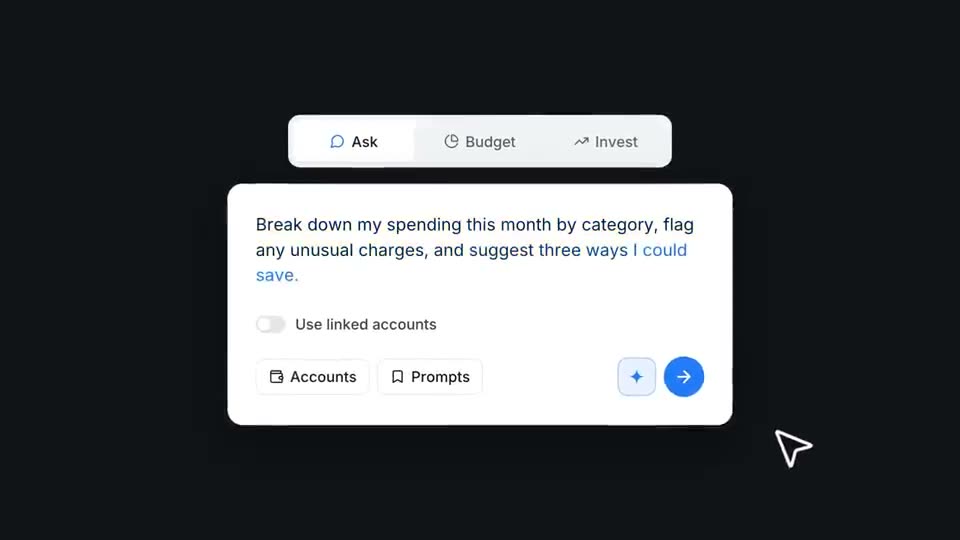
| Demo in motion | A typed prompt becomes a scene | The action already underway |
Do not use a hook the video cannot pay off. A tease that leads nowhere trains viewers to scroll past you.
Make the hook visible, not just clever
On a phone with the sound off, a hook is a combination of words and movement:
- Put the line on screen at frame one, not after a one-second intro.
- Use five words or fewer where you can. Large type for a short line beats a clever sentence in small type.
- Start the movement already in progress. A headline that is already on screen reads faster than one that animates in over a second.
- Hold it. Give the line enough time to be read before the next thing arrives.
Write three hooks, choose one
Before you design anything, write three different openers for the same video. Use different types from the table: a question, a result and a mistake, for example. Read each one aloud. Choose the one a stranger would understand fastest.
Then check the ending, because a hook creates a promise. If the opener says “three edits,” the video needs three edits, in order, and a final line that names what to do next.
Build the opener in ASAP Motion
Describe the first two seconds explicitly. This works better than asking for “a strong hook”:
Create a 12-second 9:16 video. In the first frame, show the headline “3 edits that fix a boring demo” in large white type on a dark background, already on screen. Hold it for two seconds, then show each edit as a short line, one at a time. End with “Try it free” and my logo.
If you would rather adapt than describe, start from a template whose first scene already puts a statement on screen, then replace the text. The prompt guide lists more phrasing that gives usable first drafts.
Common mistakes
- A logo first. Put the brand at the end unless the logo is the message.
- Too many words. If it takes more than two seconds to read, shorten it.
- A hook and body that don’t match. A viewer who feels misled leaves.
- Decoration in the first frame. Remove anything that is not the hook.
- No plan for muted viewing. Check every opener with the sound off.
Test and keep what works
Post two versions of the same video with different openers and keep a note of which one people finish. Do not read too much into a single post. Over several videos, patterns about the kinds of hook your audience responds to will appear; build them into your template so the next video starts from a stronger place. For related format choices, see the social media video formats guide.