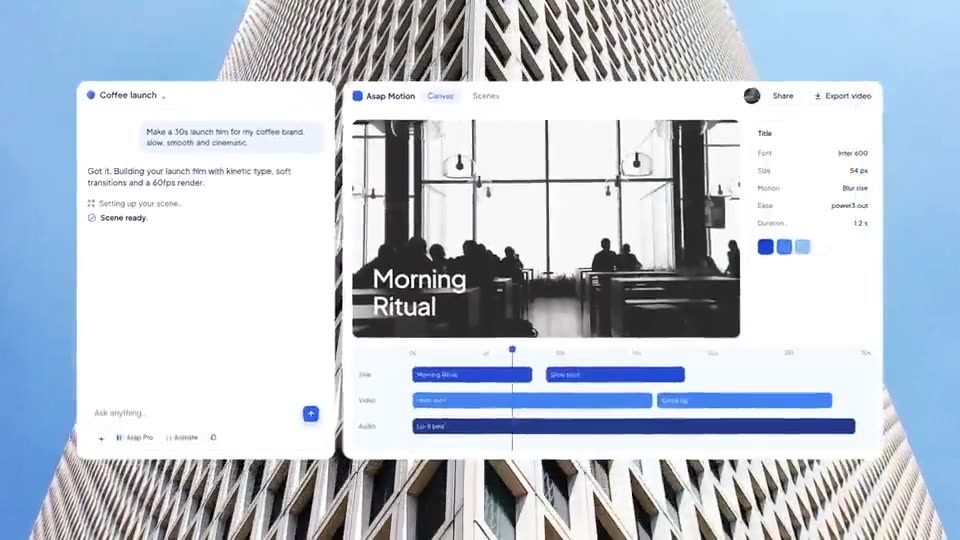
Treat the launch video as a source, not a finished file
A launch video is usually made once, for one placement. Social channels want shorter, differently shaped versions: a quick teaser, a single-feature clip, a square post. Remaking each from scratch is slow. Repurposing starts from the same story and re-cuts it for each placement.
The aim is not to squeeze the whole film into a smaller frame. It is to choose which part of the story each placement needs.
Decide the cuts before you edit
From one 45-second launch film, plan three versions:
| Version | Format | Length to try | What it keeps |
|---|---|---|---|
| Teaser | 9:16 | 6–10 seconds | The hook and the call to action |
| Feature clip | 9:16 | 15–20 seconds | The hook, one product moment and the call to action |
| Feed post | 1:1 | 15–25 seconds | The hook, the proof and the call to action |
Lengths are an exercise; shorten to the point where each cut still makes sense by itself. If you need help choosing, see how long a product video should be.
For each cut, write one sentence saying what the viewer should do afterwards. If two cuts have the same sentence, one of them is redundant.
Pick the scenes
Go through the original storyboard and tag each scene:
- Hook: the line that says what this is about.
- Proof: a product screen that shows the claim being true.
- Detail: supporting information that is nice but not needed.
- Ask: the closing call to action.
Short cuts keep hooks, proof and asks. Details are the first scenes to go. This is also a good moment to notice scenes that were never essential.
Make the versions in ASAP Motion
- Duplicate the project from the dashboard so the original stays untouched. Name each copy for its placement.
- Switch the aspect ratio in the editor to 9:16 or 1:1.
- Remove the scenes you tagged as detail.
- Re-lay out each remaining scene. Changing the canvas does not reflow the design for you: enlarge important screens, move labels, and split wide layouts into separate beats.
- Retime the cut. Shorter videos need a quicker handoff between scenes, but each line still needs time to be read.
- Export an MP4 for each version.
If the launch film began as a website-to-video draft, the quickest route for a very different cut may be to generate a fresh version for the new format rather than trim the old one.
Rewrite the copy for the placement
A teaser rarely needs the full message. Replace multi-line scenes with a single short line, and make the last line the action you decided on. On a feed post, shift towards a plain statement of what the product does, because the viewer may not know it.
Keep claims consistent. If the launch film says something precise, the short versions must not make it vaguer or bolder than the original.
Check each cut on its own
- Does the first frame work as a still?
- Does the cut make sense with the sound off?
- Is any text cropped in this aspect ratio?
- Does the last scene stay long enough to read?
- Does the call to action match the placement?
The social media video formats guide has safe-area advice for each shape.
Turn it into a posting plan
You can spread the cuts over a few days instead of publishing them all at once: the teaser first, the feature clip a day or two later, the square post after that. Link each post to the same destination. Keep the project and every duplicate; when a screen or a claim changes, you can update the sources rather than begin again. For more launch material, see the product launch video guide and the Product Hunt launch guide.